Skip to content
Communityline Portal · Learning Management System

A modern learning platform built for courses, training & student success.

Online courses, role-based dashboards, learner progress, certificates, payments, and live reports — on your own domain. We host it and run the entire server side, so your team never touches infrastructure.

Per-seat fees
0
Page loads
<2s
Built in
2FA
You own the data
100%

See it in action

The full platform, in five minutes.

A narrated tour of every role and tool — dashboards, course building, assessments, certificates, analytics, and more.

Product tour 5:00 · narrated · 1080p

Platform snapshot

Everything a real academy runs on.

Capabilities that ship today — not a wish list. Each one is a working part of the platform.

Courses & lessons

Unlimited on every plan

3

Roles

Admin · Instructor · Student

4

Registration modes

Public → admin-only

3

Payment methods

GCash · Bank · Stripe

100%

Certificates

Verifiable, public ID

Live

Reports

Enrollment · revenue · grades

Role-based experience

One platform. Three points of view.

Switch roles to see the real product each one gets — admin, instructor, and student.
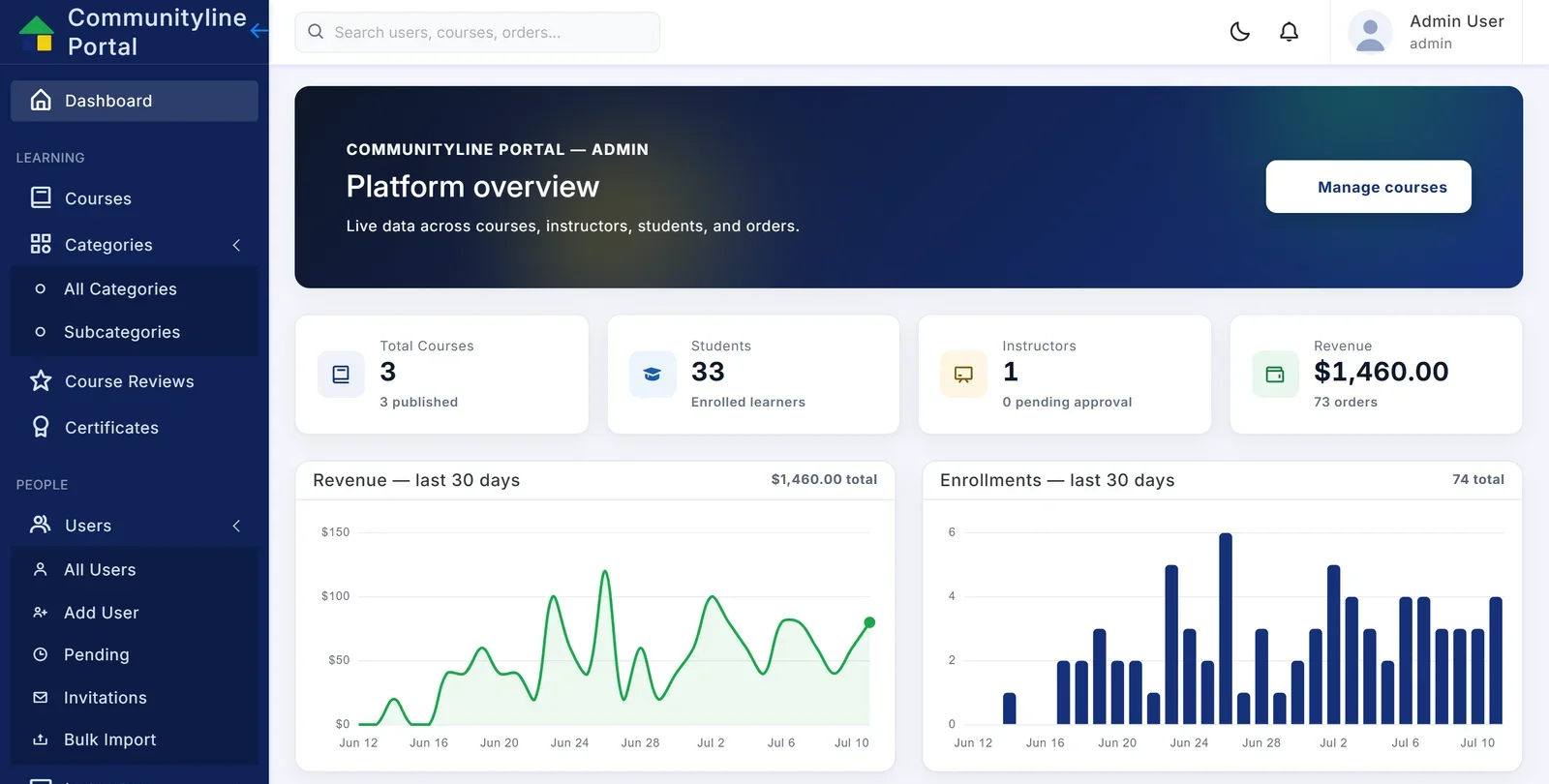
Admin

Run the whole academy from one screen.

  • 30-day enrollment & revenue trends
  • Full user lifecycle: approvals, invites, bulk import
  • Payments & proof review, refunds, coupons
  • Review moderation, audit log, certificates
Admin view — actual Communityline Portal product UI
Admin · actual product UI
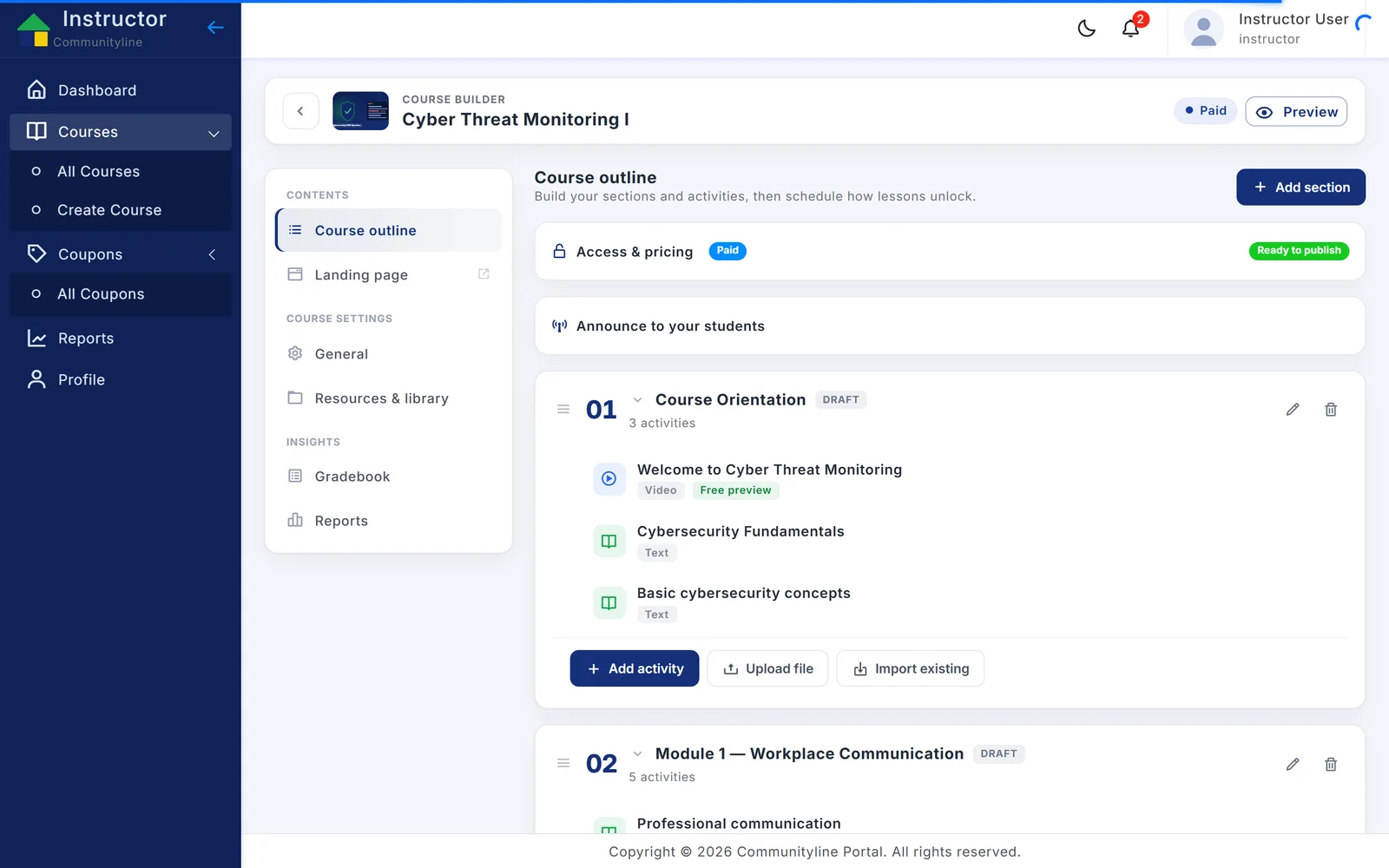
Instructor

From outline to published course in an afternoon.

  • Drag-and-drop course & lesson builder
  • Timed quizzes and rubric-graded assignments
  • AI-assisted outlines and quiz questions
  • Per-course gradebook, coupons, revenue
Instructor view — actual Communityline Portal product UI
Instructor · actual product UI
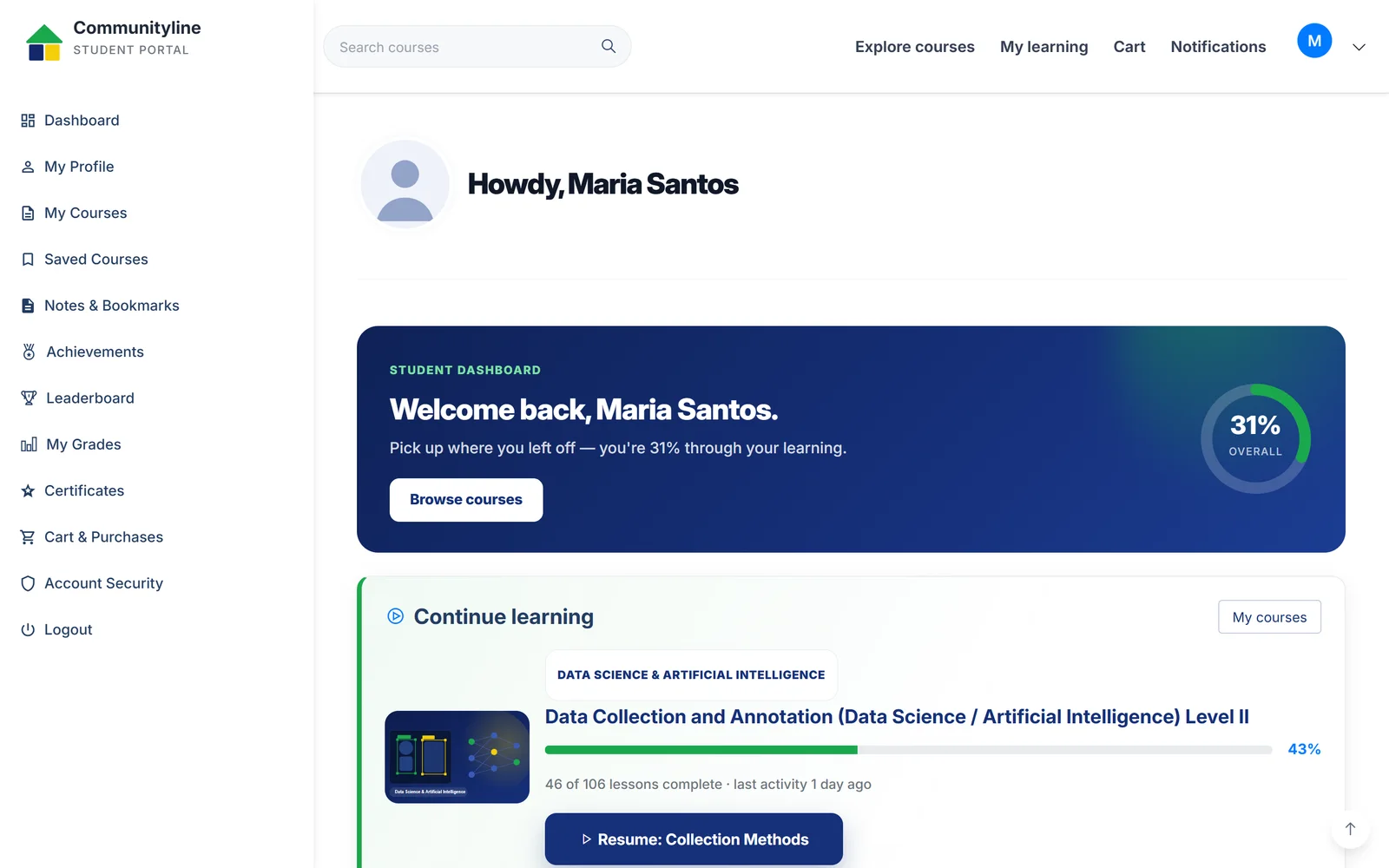
Student

Learning that feels like momentum.

  • A player that resumes exactly where they stopped
  • Progress, streaks, points and badges
  • Notes, bookmarks, per-lesson Q&A
  • A wall of shareable, verifiable certificates
Student view — actual Communityline Portal product UI
Student · actual product UI

Create · publish · learn

From a blank outline to a thriving catalog.

Business

Foundations of Digital Marketing

24 lessons·6h

Progress72%
$49 Enroll
Technology

Full-Stack Web Development

58 lessons·18h

Progress45%
$129 Enroll
Certification

TESDA NC II Exam Prep

32 lessons·9h

Progress100%
$79 Enroll
12:04 / 18:30
Introduction
Core concepts
3Worked example
4Practice quiz
5Wrap-up

Rich learning experience

A lesson that keeps learners moving.

Video lessons with a resumable player, a lesson checklist, notes, per-lesson Q&A, and a quiz that follows the content — everything a learner needs in one flow.

  • Resumable video
  • Lesson checklist
  • Notes & bookmarks
  • Per-lesson Q&A
  • Follow-up quiz
  • Certificate on completion

Analytics & reports

Decisions, not just dashboards.

Enrollment & revenue · 30 days

+18%

Course completion

68% completed

1,284

Learners

96

Active courses

740

Certificates issued

$18,420

Revenue (30d)

Figures shown are illustrative sample data from the seeded demo instance.

Sell & enroll

Payments built for how the Philippines pays.

Publish a paid catalog, take GCash and bank transfer with admin proof review, or Stripe cards — plus coupons. Or switch commerce off entirely for internal training.

  • Course catalog with pricing & coupons
  • GCash & bank transfer with proof review
  • Stripe card checkout
  • Enrollment confirmation & receipts
  • Admin payment monitoring & refunds

Checkout

Full-Stack Web Development

58 lessons · lifetime access

$129

Secure · admin-reviewed payments

AI-assisted authoring

Draft a course in seconds — you stay in control.

Instructors generate a full course outline and quiz questions from a topic, then review, edit, and publish. AI keys stay server-side — learners never touch them.

  • Outline generation from a topic
  • Quiz-question generation per lesson
  • Review & edit before publishing
  • Enterprise AI, keys held server-side
“Create a 6-module course on Digital Marketing for beginners.”

Generating outline…

  1. 1Marketing foundations & funnels
  2. 2Content & social strategy
  3. 3SEO and search basics
  4. 4Paid ads & analytics
  5. 5Email & automation
  6. 6Capstone: launch a campaign

Security & access control

Confidence for IT. Simplicity for everyone else.

Two-factor authentication

Email codes or authenticator app (TOTP) with recovery codes.

Role-based access

Admin, instructor, and student dashboards with protected areas.

Audit logging

Every privileged action recorded with actor, subject, and IP.

Four registration modes

Public, approval, invitation-only, or admin-created accounts.

Private storage

Payment proofs and files kept private, visible to admins only.

We host it, end to end

We host every instance and run the entire server side — your own domain, SSL, monitoring, backups, and updates. Your staff never manage a server.

Implementation roadmap

From proposal to launch, in clear steps.

  1. 01

    Discovery

    Goals, brand, programs, and rollout scope — one working session.

  2. 02

    UI revamp

    This premium front end, tuned to your identity and content.

  3. 03

    LMS integration

    Wire the proposal experience to your live Communityline instance.

  4. 04

    Content setup

    Courses, lessons, categories, and people migrated in — bulk import included.

  5. 05

    Testing & QA

    Cross-device, accessibility, payments, and role-based access checks.

  6. 06

    Deployment

    We deploy, host, and run the entire server side on your own domain — SSL, backups, and monitoring included.

  7. 07

    Training

    Hands-on onboarding for admins and instructors, then PH-based support.

Ready when you are

Let’s turn this proposal into your platform.

A 30-minute walkthrough on the real product, then a build plan tailored to your institution.